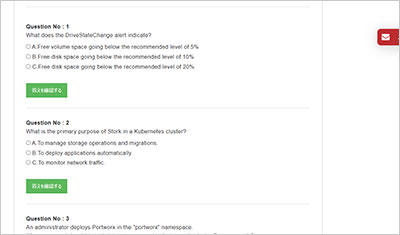
サンプル問題 1: A Portworx administrator wants to control which nodes will host a KVDB installation. What steps must an administrator take to ensure that KVDB installs on NODE01, NODE03, and NODE05?
A: It is not possible to configure the location of the KVDB prior to installation.
B: Change the following in the 'StorageCluster' spec prior to installation: spec: kvdb: selector: matchNodeName: - NODE01 - NODE03 - NODE05
C: Label NODE01, NODE03, and NODE05 with 'px1/metadata-node=true' prior to installation.
正解:B
Explanation: Comprehensive and Detailed Explanation From Exact Extract: Portworx provides a mechanism to control KVDB pod placement through the kvdb.selector.matchNodeName field in the StorageCluster Custom Resource Definition (CRD). This allows administrators to explicitly specify node names where KVDB pods will be deployed. By setting this selector to include NODE01, NODE03, and NODE05, KVDB pods will run exclusively on these nodes, ensuring better control of quorum, fault tolerance, and performance. Node labeling alone is insufficient unless the labels are properly referenced in the spec, making direct node name matching the most straightforward and reliable method. This configuration must be done prior to cluster installation to ensure proper pod placement. Official Portworx documentation on cluster deployment and KVDB configuration confirms this method as the recommended best practice for managing KVDB nodes, critical for maintaining database availability and consistency within the Portworx cluster 【 Pure Storage Portworx Install Guide†source 】
サンプル問題 2: What is the name of the Kubernetes secret containing external KVDB certificates?
A: px-kvdb
B: px-kvdb-cert
C: px-kvdb-auth
正解:C
Explanation: Comprehensive and Detailed Explanation From Exact Extract: The Kubernetes secret named px-kvdb-auth is used to store external KVDB certificates in a Portworx deployment. These certificates enable mutual TLS authentication for the KVDB pods, ensuring secure and authenticated communication between the distributed KVDB instances running on different nodes. The px-kvdb-auth secret includes private keys and certificate chains that are essential for encrypting KVDB traffic and verifying peer identities within the cluster. This security feature prevents unauthorized access and protects sensitive KVDB data in transit. Portworx’s official security and KVDB documentation detail the use of this secret, highlighting its role in certificate management and enabling encryption for high-availability clusters running on Kubernetes environments 【 Pure Storage Portworx Security Guide†source 】 .
サンプル問題 3: How should a Portworx administrator expose metrics to externally provisioned Prometheus?
A: Enable metrics in the storagecluster object by setting the following: spec: monitoring: prometheus: exportMetrics: true
B: Enable metrics in the storagecluster object by setting: spec: monitoring: exportMetrics: true
C: Enable metrics in the Portworx cluster by running the command: pxctl service monitoring enable --export-metrics-only
正解:A
Explanation: Comprehensive and Detailed Explanation From Exact Extract: To enable Portworx metrics exposure compatible with external Prometheus servers, administrators must set the exportMetrics flag inside the Prometheus monitoring section of the StorageCluster spec. The correct configuration is: spec: monitoring: prometheus: exportMetrics: true This declarative configuration directs Portworx to expose its internal metrics on Prometheus endpoints, allowing external monitoring tools to scrape these metrics for observability, alerting, and dashboarding. The operator-managed Portworx cluster leverages this configuration for integration with cloud-native monitoring stacks, ensuring seamless visibility into cluster health, performance, and resource utilization. Using CLI commands alone is insufficient for operator-managed clusters since they don’t persist settings or integrate with Kubernetes manifests. The official Portworx observability guide and operator documentation endorse this method as the recommended approach for metrics exposure and integration with Prometheus-compatible systems 【 Pure Storage Portworx Monitoring Guide†source 】 .
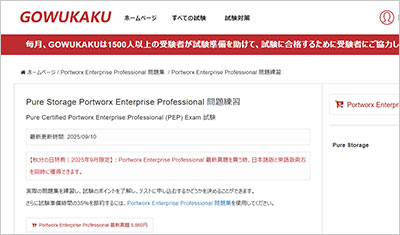
GOWUKAKUのPortworx Enterprise Professional問題集は、Pure Storage Pure Certified Portworx Enterprise Professional (PEP) Exam認定試験の準備に向けた復習用問題集です。Portworx Enterprise Professional問題集を使用して出題形式を確認し、知識の定着度を確認しながら復習を進めることができます。