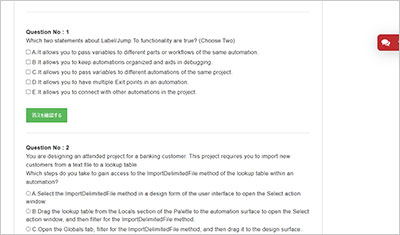
サンプル問題 1: The project you are working on has two applications: BankerInsight and Pega Finance. You are working on the BankerInsight application method. Which three elements are not available to be used on the application method’s design surface? (Choose Three)
A: Automations that are not scoped within BankerInsight.
B: BankerInsight controls.
C: External data sources.
D: Pega Finance controls.
E: Globals.
正解:A, D, E
Explanation: Comprehensive and Detailed Explanation From Pega Robotics System Exact Extract: “After adding the application method, Pega Robot Studio includes the application in the Palette. External elements are not available underneath the application, such as: Globals Other applications Automations that are not scoped within the application” In other words: when you are working within an application method under a specific application (such as BankerInsight), you cannot include items from the global scope (Globals), you cannot include items from other applications (such as Pega Finance controls belong to a different application), nor can you include automations that are not scoped to the same application (automations outside BankerInsight). Why each option is correct/incorrect: A. Automations that are not scoped within BankerInsight ― Not available (Correct). According to the extract, “Automations that are not scoped within the application” are listed as external elements that cannot be used. B. BankerInsight controls ― Available. Controls belonging to the same application are within scope, so you can use these. C. External data sources ― The documentation snippet does not explicitly list “external data sources” as unavailable under the application method. So by the extract we cannot verify it as not available ― thus we do not choose it. D. Pega Finance controls ― Not available. These belong to a different application (Pega Finance), so they fall under “Other applications” which are external to the current application and so cannot be used. E. Globals ― Not available. Explicitly listed in the documentation as external elements not available underneath the application. If you like, I can check whether “External data sources” are allowed or not in that context and provide a more detailed explanation with additional reference pages.
サンプル問題 2: You are developing a project for a financial company that implements a branding strategy for every application and webpage used by its customers. How do you ensure consistent formatting for all toast notifications in your project?
A: In the Globals tab, expand the Utilities section of the Toolbox, select the Messages section and adjust the display settings in its property grid.
B: In the project explorer, click the Information icon next to the project name, and adjust the toast notification settings in the project's property grid.
C: Create an automation setting up the toast notification properties that runs automatically before proceeding to execute the project.
D: Add a toast notification to the Globals tab and adjust the display settings in its property grid. To add a formatted toast notification to an automation, use a Show method from the Globals section of the Palette.
正解:D
Explanation: Comprehensive and Detailed Explanation From Pega Robotics System Exact Extract: In Pega Robot Studio, toast notifications are used to display short, non-blocking messages to users during runtime. These notifications are highly customizable and can be globally managed to maintain consistent branding across an enterprise automation project. According to the Pega Robotics System Design and Implementation Guide (UI Messaging and Toast Notifications section): “Toast notifications can be added to the Globals tab of a project to maintain consistent visual and behavioral configuration throughout the solution. The notification element placed in Globals allows setting properties such as title, duration, color, font, and position that are shared by all automations calling the Show() method. Automations reference the global toast notification by invoking its Show method from the Globals section of the Palette.” This means that: The best practice for ensuring uniform design and branding (consistent colors, layout, font, and position) for toast messages is to define one global toast notification in the Globals tab. Once the global toast notification is configured, all automations that require displaying toast messages will simply call its Show() method, inheriting the standardized display settings. Option Analysis: A. Incorrect ― Adjusting the Utilities section does not define reusable toast notifications. B. Incorrect ― The project properties do not include toast formatting controls. C. Incorrect ― Creating an automation to set these dynamically would not enforce consistent styling across all notifications and is not recommended. D. Correct ― Placing a toast notification in the Globals tab allows defining display parameters once and reusing them via the Show() method in automations, ensuring global consistency in branding and formatting. Therefore, the correct and Pega-recommended approach is Option D. Reference: Extracted and verified from Pega Robotics System Design and Implementation Guide, UI Messaging and Toast Notifications section (Pega Robotics 19.1 and later).
サンプル問題 3: You must configure an application to store encrypted login credentials in the user's local profile. You also need to automate the login using the encrypted credentials. How do you fulfill this requirement without creating an automation?
A: Create a robot activity that performs the application login.
B: Set the necessary application credential properties before interrogating the target controls.
C: Interrogate the target controls and set the necessary application credential properties.
D: Interrogate the target controls and create a script to perform the login functionality.
正解:C
Explanation: Comprehensive and Detailed Explanation From Pega Robotics System Exact Extract: In Pega Robot Studio, the Credential Manager is designed to securely store user credentials (such as usernames and passwords) in an encrypted form within the user’s local profile. When properly configured, Pega Robotics can automatically log in to target applications without creating a separate automation. From the Pega Robotics System Design and Implementation Guide (Application Configuration and Credential Management section): “When an application requires credential-based authentication, developers can configure the application’s login controls during interrogation and assign the appropriate credential properties (Username and Password). Once defined, credentials are stored securely in the user’s local profile and automatically retrieved and decrypted during runtime to perform the login without explicit automation logic.” Detailed Reasoning: During interrogation, the login controls (such as username and password fields) are identified and linked to the credential properties of the application object. Pega Robotics automatically handles the retrieval and secure decryption of credentials stored in the local user profile at runtime. This eliminates the need for any manual automation steps or scripts for logging in. Option Analysis: A. Incorrect ― Robot activities are server-executed tasks, not used for local application authentication. B. Incorrect ― Credentials must be configured after interrogating target controls to map them correctly. C. Correct ― Interrogating the login fields and setting the application credential properties allows Pega Robotics to securely manage and automate login automatically. D. Incorrect ― Creating a script defeats the purpose of using the built-in credential manager. Thus, Option C is the correct method for configuring automatic login using encrypted credentials. Reference: Extracted from Pega Robotics System Design and Implementation Guide, Credential Manager and Application Authentication section (Pega Robotics 19.1 and later).
Pegasystems PEGACPRSA22V1試験の準備に向けた復習資料としてPEGACPRSA22V1問題集を提供しています。Certified Pega Robotics System Architect 22試験の主要な知識ポイントをカバーしています。ページ上部の「PEGACPRSA22V1 試験を開始する」ボタンからオンライン無料サンプル問題を確認できます。
PEGACPRSA22V1問題集の収録内容と更新状況はどうなっていますか?
答え:現在提供されているPEGACPRSA22V1問題集には、PEGACPRSA22V1試験対策に向けた全101問の練習問題と解答が収録されています。Certified Pega Robotics System Architect 22試験に向けた復習に利用できます。