IT認証試験問題集
GOWUKAKU|IT認定資格の最新の試験問題集(PDF版・無料サンプル問題)を提供しています
 ホームページ / The SecOps Group 問題集  / CNSP 問題集

The SecOps Group CNSP 問題集 練習問題・模擬試験|日本語版&英語版対応

Certified Network Security Practitioner (CNSP) 試験問題と答案

(0件のカスタマーレビュー)

最終更新日: 2026/10/17  収録内容確認済 | PDF問題集: 全 60 問収録

CNSP試験対策の学習資料(PDF版:日本語・英語2言語セット)|1年間(365日)無料アップデート付
CNSP 試験を開始する   
cnsp_shiken_1
cnsp_shiken_2

CNSP 問題集 仕様・サポート案内

対象試験 The SecOps Group CNSP — Certified Network Security Practitioner (CNSP)
収録問題数 全 60 問(解答付き/オンライン無料サンプル 20 問公開中)
提供形式・言語 PDF版(日本語版・英語版の2言語セット)
販売価格(税込) 6,880円(税込) ※1回払いの買い切り商品です。自動更新や追加請求はありません。
引き渡し・有効期間 決済完了後すぐにダウンロード可能(日本語版が準備中の科目は、英語版を即時ダウンロードのうえ、日本語版は準備完了次第ご登録メールへ自動送付・有効化されます)。ご購入日から1年間(365日間)無料アップデート対応(期間内の更新版も追加料金なしでダウンロード可能)。
お問い合わせ窓口 メールサポート:[email protected](注文確認・再送・教材に関するご質問|返金・交換条件)

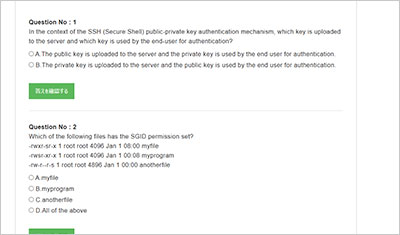
CNSP サンプル問題プレビュー(抜粋)

収録内容から抜粋したサンプル問題です。「解答・解説を表示」をクリックすると正解を確認できます。

サンプル問題 1: How many usable TCP/UDP ports are there?

  • A: 65536
  • B: 65535
  • C: 63535
  • D: 65335
正解:B
Explanation: TCP (Transmission Control Protocol) and UDP (User Datagram Protocol) port numbers are defined by a 16-bit field in their packet headers, as specified in RFC 793 (TCP) and RFC 768 (UDP). A 16-bit integer ranges from 0 to 65,535, yielding a total of 65,536 possible ports (2^16). However, port 0 is universally reserved across both protocols and is not considered "usable" for standard network communication. According to the Internet Assigned Numbers Authority (IANA), port 0 is designated for special purposes, such as indicating an invalid or dynamic port assignment in some systems (e.g., when a client requests an ephemeral port). In practice, operating systems and applications avoid binding to port 0 for listening services, and it’s often used in error conditions or as a placeholder in protocol implementations (e.g., socket programming). Thus, the usable port range spans from 1 to 65,535, totaling 65,535 ports. These ports are categorized by IANA into: Well-Known Ports (0C1023): Reserved for system services (e.g., HTTP on 80/TCP). Note that 0 is still reserved within this range. Registered Ports (1024C49151): Assigned to user applications. Dynamic/Ephemeral Ports (49152C65535): Used temporarily by clients. From a security perspective, understanding the usable port count is critical for firewall configuration, port scanning (e.g., with Nmap), and detecting anomalies (e.g., services binding to unexpected ports). Misconfiguring a system to use port 0 could lead to protocol errors or expose vulnerabilities, though it’s rare. The CNSP curriculum likely emphasizes this distinction to ensure practitioners can accurately scope network security assessments. Why other options are incorrect: A. 65536: This reflects the total number of possible ports (0C65535), but it includes the reserved port 0, which isn’t usable for typical TCP/UDP communication. In security contexts, including port 0 in a count could lead to misconfigured rules or scanning errors. C. 63535: This is an arbitrary number with no basis in the 16-bit port structure. It might stem from a typo or misunderstanding (e.g., subtracting 2000 from 65535 incorrectly), but it’s invalid. D. 65335: Similarly, this lacks grounding in protocol standards. It could be a miscalculation (e.g., subtracting 200 from 65535), but it doesn’t align with TCP/UDP specifications. Real-World Context: In penetration testing, tools like Nmap scan ports 1C65535 by default, excluding 0 unless explicitly specified (e.g., -p0-65535), reinforcing that 65,535 is the practical usable count. Reference: CNSP Official Study Guide (Network Protocols and Ports); RFC 793 (TCP), RFC 768 (UDP), IANA Service Name and Transport Protocol Port Number Registry

サンプル問題 2: Which command will perform a DNS zone transfer of the domain "victim.com" from the nameserver at 10.0.0.1?

  • A: dig @10.0.0.1 victim.com axrfr
  • B: dig @10.0.0.1 victim.com afxr
  • C: dig @10.0.0.1 victim.com arfxr
  • D: dig @10.0.0.1 victim.com axfr
正解:D
Explanation: A DNS zone transfer replicates an entire DNS zone (a collection of DNS records for a domain) from a primary nameserver to a secondary one, typically for redundancy or load balancing. The AXFR (Authoritative Full Zone Transfer) query type, defined in RFC 1035, facilitates this process. The dig (Domain Information Groper) tool, a staple in Linux/Unix environments, is used to query DNS servers. The correct syntax is: dig @<nameserver> <domain> axfr Here, dig @10.0.0.1 victim.com axfr instructs dig to request a zone transfer for "victim.com" from the nameserver at 10.0.0.1. The @ symbol specifies the target server, overriding the system’s default resolver. Technical Details: The AXFR query is sent over TCP (port 53), not UDP, due to the potentially large size of zone data, which exceeds UDP’s typical 512-byte limit (pre-EDNS0). Successful execution requires the nameserver to permit zone transfers from the querying IP, often restricted to trusted secondaries via Access Control Lists (ACLs) for security. If restricted, the server responds with a "REFUSED" error. Security Implications: Zone transfers expose all DNS records (e.g., A, MX, NS), making them a reconnaissance goldmine for attackers if misconfigured. CNSP likely emphasizes securing DNS servers against unauthorized AXFR requests, using tools like dig to test vulnerabilities. Why other options are incorrect: A. dig @10.0.0.1 victim.com axrfr: "axrfr" is a typographical error. The correct query type is "axfr." Executing this would result in a syntax error or an unrecognized query type response from dig. B. dig @10.0.0.1 victim.com afxr: "afxr" is another typo, not a valid DNS query type per RFC 1035. dig would fail to interpret this, likely outputting an error like "unknown query type." C. dig @10.0.0.1 victim.com arfxr: "arfxr" is also invalid, a jumbled version of "axfr." It holds no meaning in DNS protocol standards and would fail similarly. Real-World Context: Penetration testers use dig ... axfr to identify misconfigured DNS servers. For example, dig @ns1.example.com example.com axfr might reveal subdomains or internal IPs if not locked down. Reference: CNSP Official Documentation (DNS Security and Tools); RFC 1035 (Domain Names - Implementation and Specification).

サンプル問題 3: What is the response from a closed TCP port which is behind a firewall?

  • A: A FIN and an ACK packet
  • B: RST and an ACK packet
  • C: A SYN and an ACK packet
  • D: No response
正解:D
Explanation: TCP (Transmission Control Protocol) uses a three-way handshake (SYN, SYN-ACK, ACK) to establish connections, as per RFC 793. When a client sends a SYN packet to a port: Open Port: The server responds with SYN-ACK. Closed Port (no firewall): The server sends an RST (Reset) packet, often with ACK, to terminate the attempt immediately. However, when a firewall is present, its configuration dictates the response. Modern firewalls typically operate in stealth mode, using a "drop" rule for closed ports rather than a "reject" rule: Drop: Silently discards the packet without replying, resulting in no response. The client experiences a timeout (e.g., 30 seconds), as no feedback is provided. Reject: Sends an RST or ICMP "Port Unreachable," but this is less common for security reasons, as it confirms the firewall’s presence. For a closed TCP port behind a firewall, "no response" (drop) is the standard behavior in secure configurations, minimizing information leakage to attackers. This aligns with CNSP’s focus on firewall best practices to obscure network topology during port scanning (e.g., with Nmap). Why other options are incorrect: A. A FIN and an ACK packet: FIN-ACK is used to close an established TCP connection gracefully (e.g., after data transfer), not to respond to an initial SYN on a closed port. B. RST and an ACK packet: RST-ACK is the host’s response to a closed port without a firewall. A firewall’s drop rule overrides this by silently discarding the packet. C. A SYN and an ACK packet: SYN-ACK indicates an open port accepting a connection, the opposite of a closed port scenario. Real-World Context: Tools like Nmap interpret "no response" as "filtered" (firewall likely present) vs. "closed" (RST received), aiding in firewall detection. Reference: CNSP Official Study Guide (Firewall Operations and TCP/IP); RFC 793 (TCP).

GOWUKAKUのCNSP問題集は、The SecOps Group Certified Network Security Practitioner (CNSP)認定試験の準備に向けた復習用問題集です。CNSP問題集を使用して出題形式を確認し、知識の定着度を確認しながら復習を進めることができます。

CNSP問題集を使用する正しい方法

CNSP問題集を使用する正しい方法:間違いがない、または間違えた場合は、マークを付け、エラーの根本原因を見つけて統合し、習熟するまで確認します。

  • 問題演習は、Security Practitioner試験に向けた現在の理解度を点検するためのステップです。間違えた設問を分析し、なぜ誤ったのかを確認して知識を定着させることが重要です。

  • CNSP試験に合格するには、主題の知識と試験のルールを習得する必要があります。そして、質問をせずに本を読んでビデオを見るだけでは、明らかに後者のことはできません。慎重に考えて要約することによってのみ、質問のルールを習得し、半分の労力で2倍の結果を得ることができます。

CNSP問題集レビューを使用するメリット

CNSP問題集を使用して、より多くの試験の質問を行うことで研究の問題を見つけてください。そうすれば、より良くなることができます。

  • CNSP試験の質問に関係することは当然可能です。繰り返しテストされる質問は、頻繁にテストされる質問です。質問に表示されないものは、テストされる可能性が最も低いものです。何度も何度もテストを受ける人は、当然、それを習得するために多くの時間とエネルギーを費やす必要があり、テストをあまり受けない人は、勉強する時間があるまで待つことができます。

  • 質問の結果から、それが正しいかどうかを確認できます。非常に重要なことでも、毎回読む必要はありません。問題が発生し、それが正しく行われていることがわかった場合、それ以上投資する必要はありません。そして、概念と原則の理解に自信があり、それでも問題を解決できない場合でも、それは幻想であり、同様の問題が実際に解決されるまで再試行する必要があることを意味します。

本を読んだりビデオを見たりすることのデメリット

本を読んだりビデオを見たりすることは大きな問題であり、役に立たないかもしれません。多くの人が本を読んだりビデオを見たりして試験の準備をしています。最初から最後まで、何度も見て、効率は高くありません。

  • 出題範囲が広いため、参考書を通読するだけでは重点分野と弱点の区別がつきにくくなります。

  • 参考書を読んで理解したつもりでも、実際にCNSPの設問形式で問われると解答に迷うケースが少なくありません。

参考書や解説動画も基礎学習には有効ですが、CNSP試験の直前期には、問題演習で弱点を把握したうえで該当箇所を確認する使い方が効率的です。

間違えて理解できなくなったら、すぐに本に行きましょう。本を読んだりビデオを見たりする場合と比較して、本を検索する利点は、目的がより明確でアクティブになるため、印象がより深く、覚えやすくなることです。

アップデートについて

ご入金後、マイページからCNSP試験問題集の日本語版と英語版の2言語セット(PDF形式)をダウンロードできます。また、試験範囲の改訂や問題集の更新が行われた場合、ご購入日から1年間(365日間)は更新版を追加料金なしでダウンロードできます。返金の条件は返金ポリシーに従います。

コメントを残す

採点