GOWUKAKU|IT認定資格の最新の試験問題集(PDF版・無料サンプル問題)を提供しています
Certified Kubernetes Administrator 試験
最終更新日: 2026/10/21 収録内容確認済 | PDF問題集: 全 67 問収録
【仕様案内】:CKA 問題集(PDF版)は日本語版&英語版の2言語セットに対応しております(日本語版が準備中の科目は英語版を即時ダウンロードのうえ、日本語版は準備完了次第ご登録メールへ自動送付いたします)。
本ページでは問題集の無料サンプル問題を公開しており、出題形式や現在の理解度を確認することができます。
全67問を収録したPDF版は、CKA 問題集からご確認いただけます。
Question No : 1
SIMULATION
List pod logs named “frontend” and search for the pattern “started” and write it to a file “/opt/error-logs”
正解: Kubectl logs frontend | grep -i “started” > /opt/error-logs
Question No : 2
SIMULATION
Create a busybox pod that runs the command “env” and save the output to “envpod” file
正解: kubectl run busybox --image=busybox --restart=Never C-rm -it -- env > envpod.yaml
Question No : 3
SIMULATION
Create a pod with image nginx called nginx and allow traffic on port 80
正解: kubectl run nginx --image=nginx --restart=Never --port=80
Question No : 4
SIMULATION
Get list of all pods in all namespaces and write it to file “/opt/pods-list.yaml”
正解: kubectl get po Call-namespaces > /opt/pods-list.yaml
Question No : 5
SIMULATION
Create a nginx pod with label env=test in engineering namespace
正解: kubectl run nginx --image=nginx --restart=Never --labels=env=test --namespace=engineering --dry-run -o yaml > nginx-pod.yaml
kubectl run nginx --image=nginx --restart=Never --labels=env=test --namespace=engineering --dry-
run -o yaml | kubectl create -n engineering -f C
YAML File:
apiVersion: v1
kind: Pod
metadata:
name: nginx
namespace: engineering
labels:
env: test
spec:
containers:
- name: nginx
image: nginx
imagePullPolicy: IfNotPresent
restartPolicy: Never
kubectl create -f nginx-pod.yaml
Question No : 6
SIMULATION
Create a namespace called 'development' and a pod with image nginx called nginx on this namespace.
正解: kubectl create namespace development
kubectl run nginx --image=nginx --restart=Never -n development
Question No : 7
SIMULATION
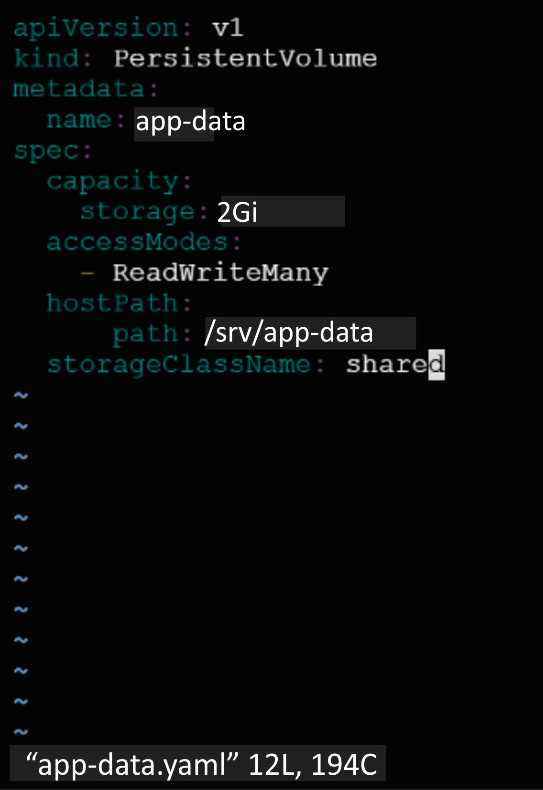
Create a persistent volume with name app-data, of capacity 2Gi and access mode ReadWriteMany.
The type of volume is hostPath and its location is /srv/app-data.
正解: solution
Persistent Volume
A persistent volume is a piece of storage in a Kubernetes cluster. PersistentVolumes are a cluster-level resource like nodes, which don’t belong to any namespace. It is provisioned by the administrator and has a particular file size. This way, a developer deploying their app on Kubernetes need not know the underlying infrastructure. When the developer needs a certain amount of persistent storage for their application, the system administrator configures the cluster so that they consume the PersistentVolume provisioned in an easy way. Creating Persistent Volume
kind: PersistentVolume
apiVersion: v1
metadata:
name:app-data
spec:
capacity: # defines the capacity of PV we are creating
storage: 2Gi #the amount of storage we are tying to claim
accessModes: # defines the rights of the volume we are creating
- ReadWriteMany hostPath:
path: "/srv/app-data" # path to which we are creating the volume Challenge
Create a Persistent Volume named app-data, with access mode ReadWriteMany, storage classname shared, 2Gi of storage capacity and the host path /srv/app-data.
Question No : 8
SIMULATION
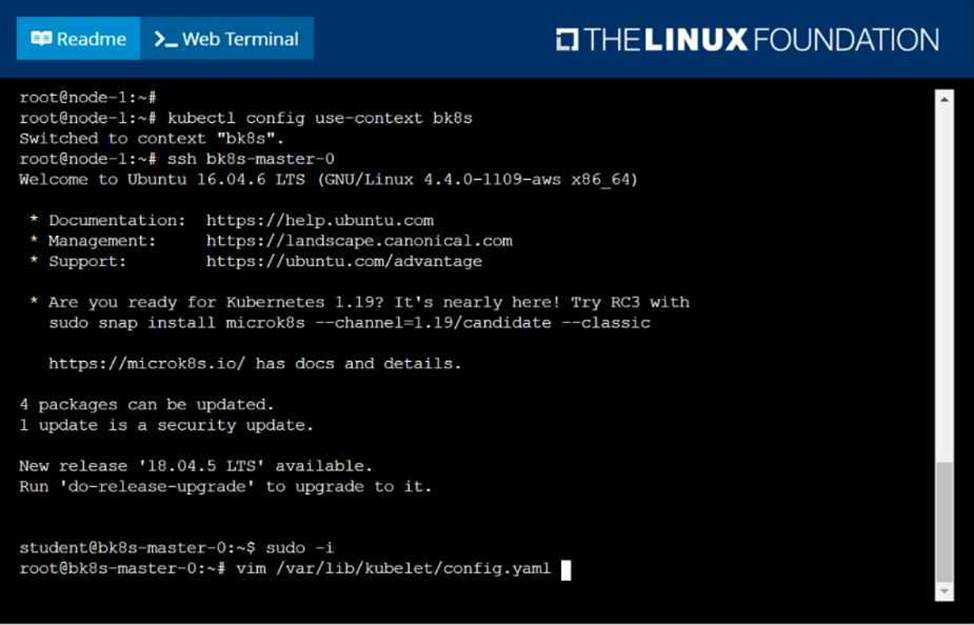
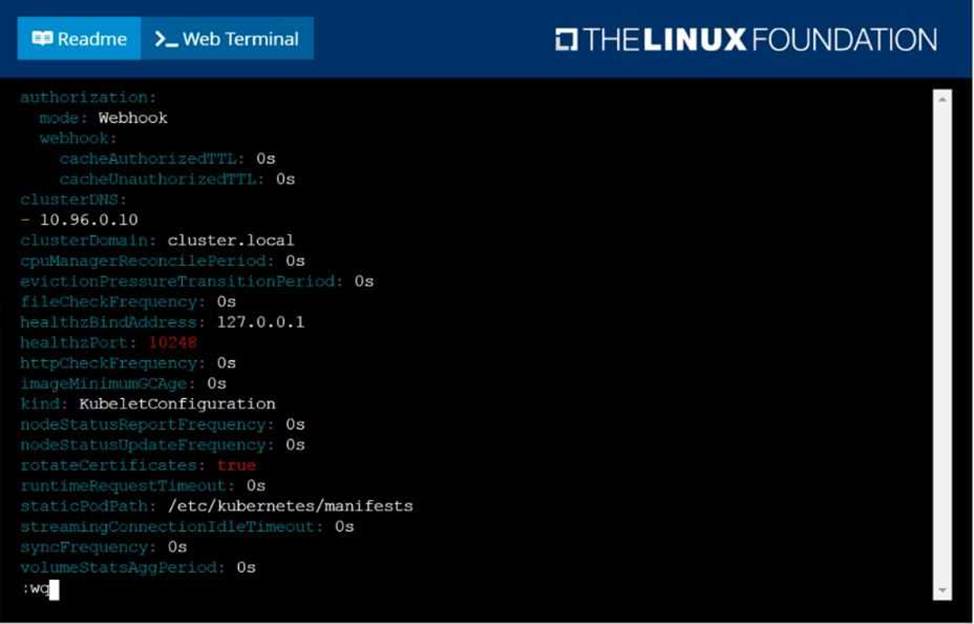
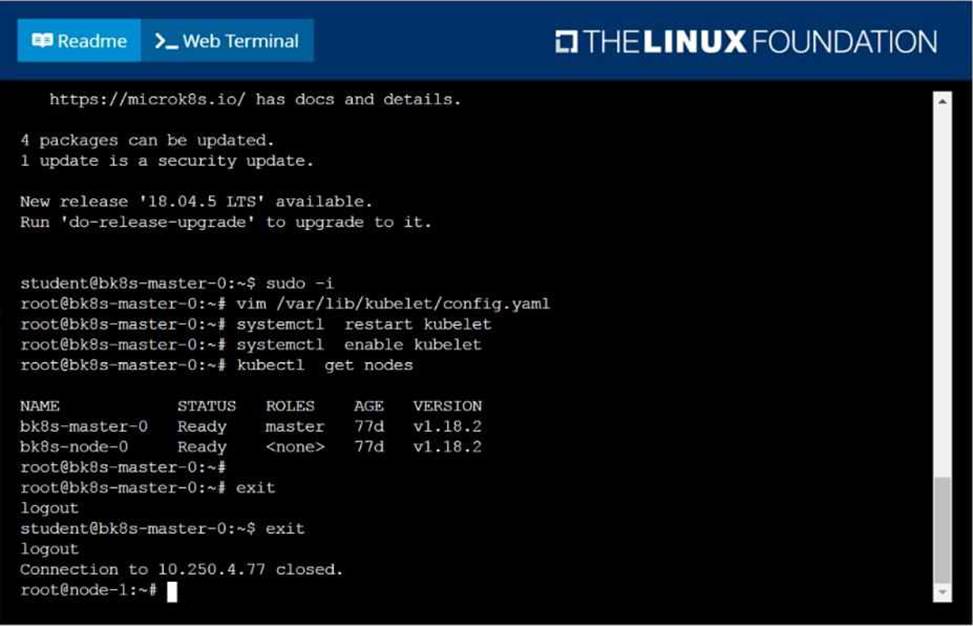
Given a partially-functioning Kubernetes cluster, identify symptoms of failure on the cluster. Determine the node, the failing service, and take actions to bring up the failed service and restore the health of the cluster. Ensure that any changes are made permanently. You can ssh to the relevant I nodes (bk8s-master-0 or bk8s-node-0) using:
[student@node-1] $ ssh <nodename>
You can assume elevated privileges on any node in the cluster with the following command:
[student@nodename] $ | sudo Ci
正解: solution
Question No : 9
SIMULATION
For this item, you will have to ssh to the nodes ik8s-master-0 and ik8s-node-0 and complete all tasks on these nodes. Ensure that you return to the base node (hostname: node-1) when you have completed this item.
Context
As an administrator of a small development team, you have been asked to set up a Kubernetes cluster to test the viability of a new application. Task
You must use kubeadm to perform this task. Any kubeadm invocations will require the use of the -- ignore-preflight-errors=all option.
Configure the node ik8s-master-O as a master node. .
Join the node ik8s-node-o to the cluster.
正解: solution
You must use the kubeadm configuration file located at /etc/kubeadm.conf when initializing your cluster.
You may use any CNI plugin to complete this task, but if you don't have your favourite CNI plugin's manifest URL at hand, Calico is one popular option: https://docs.projectcalico.org/v3.14/manifests/calico.yaml
Docker is already installed on both nodes and apt has been configured so that you can install the required tools.
Question No : 10
SIMULATION
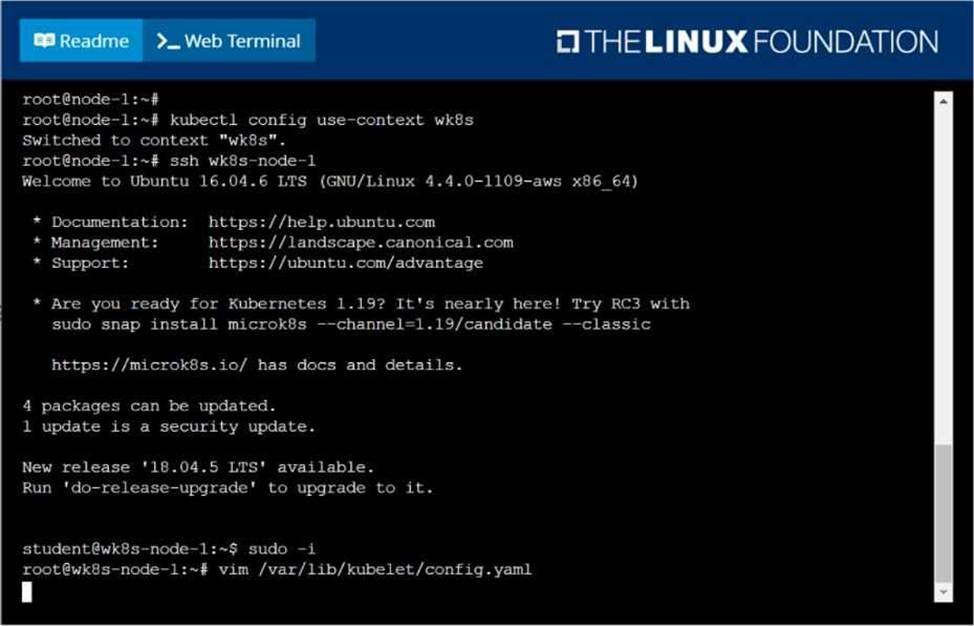
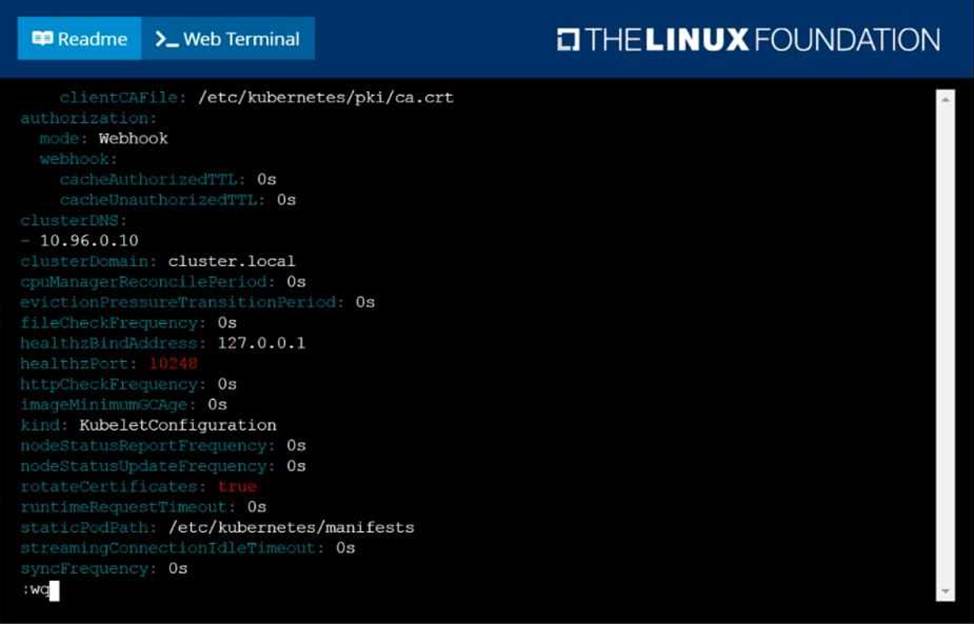
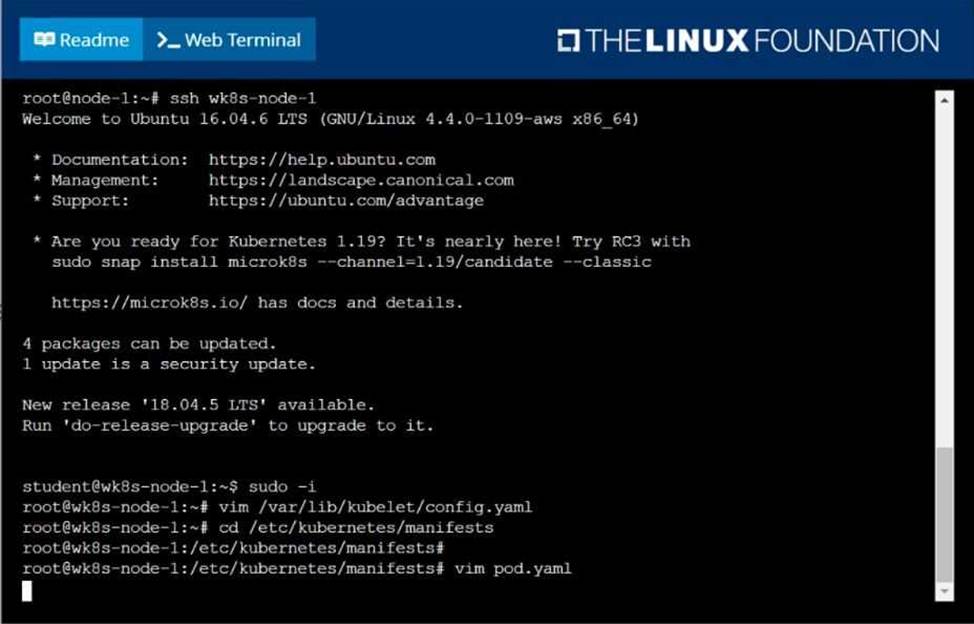
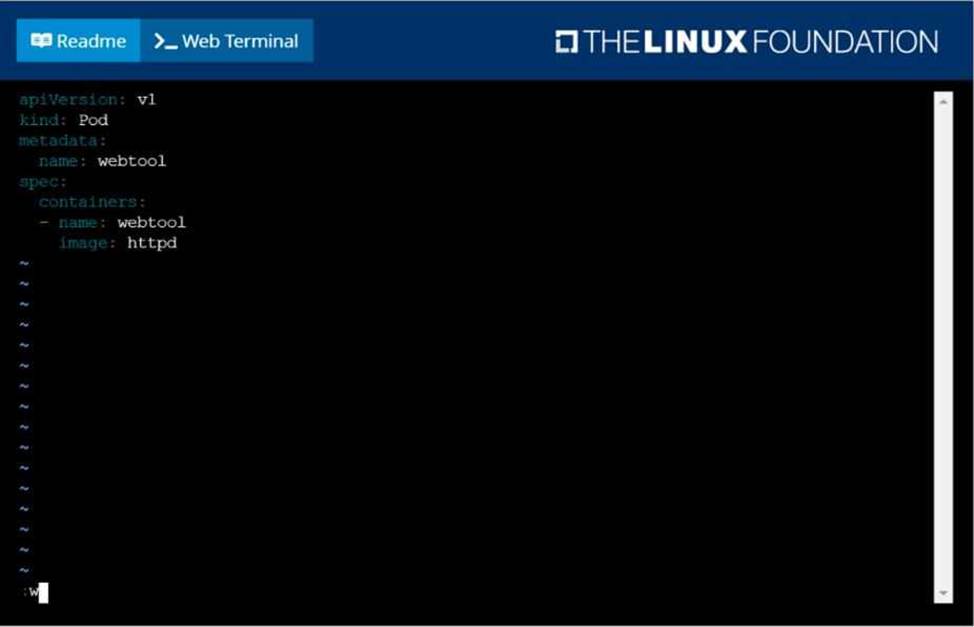
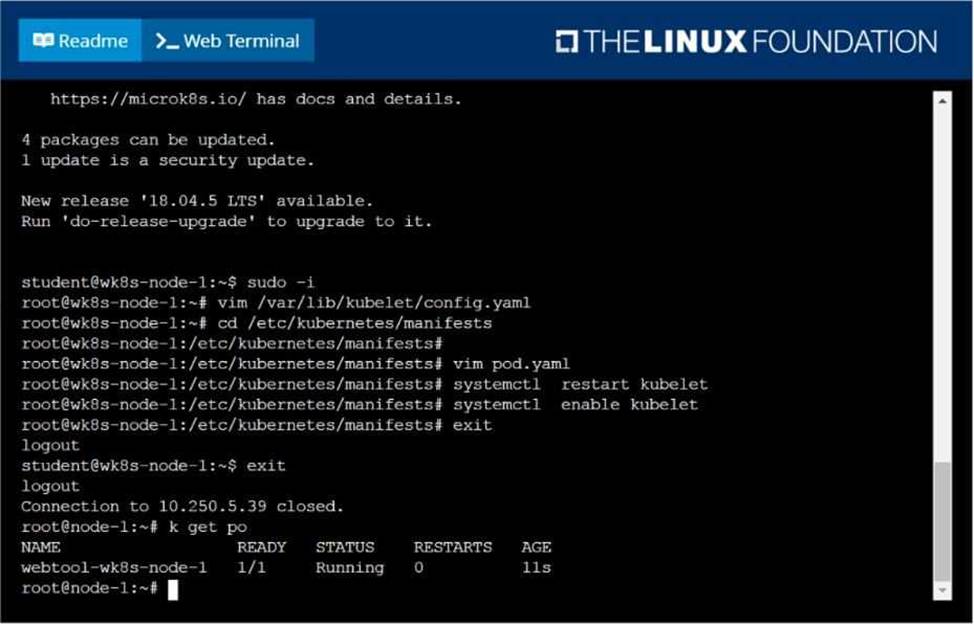
Configure the kubelet systemd- managed service, on the node labelled with name=wk8s-node-1, to launch a pod containing a single container of Image httpd named webtool automatically. Any spec files required should be placed in the /etc/kubernetes/manifests directory on the node.
You can ssh to the appropriate node using:
[student@node-1] $ ssh wk8s-node-1
You can assume elevated privileges on the node with the following command:
[student@wk8s-node-1] $ | sudo Ci
正解: solution
Question No : 11
SIMULATION
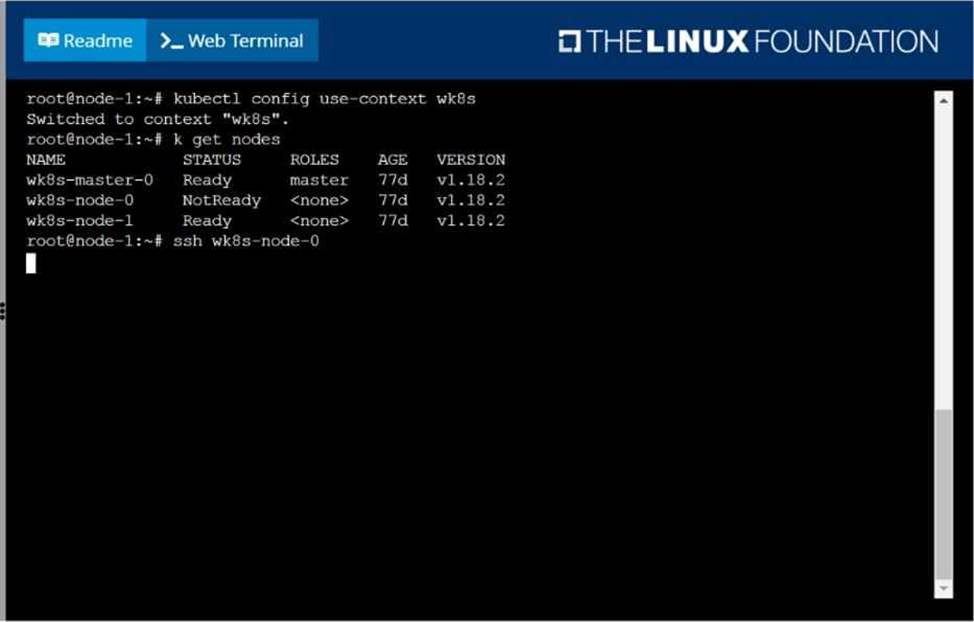
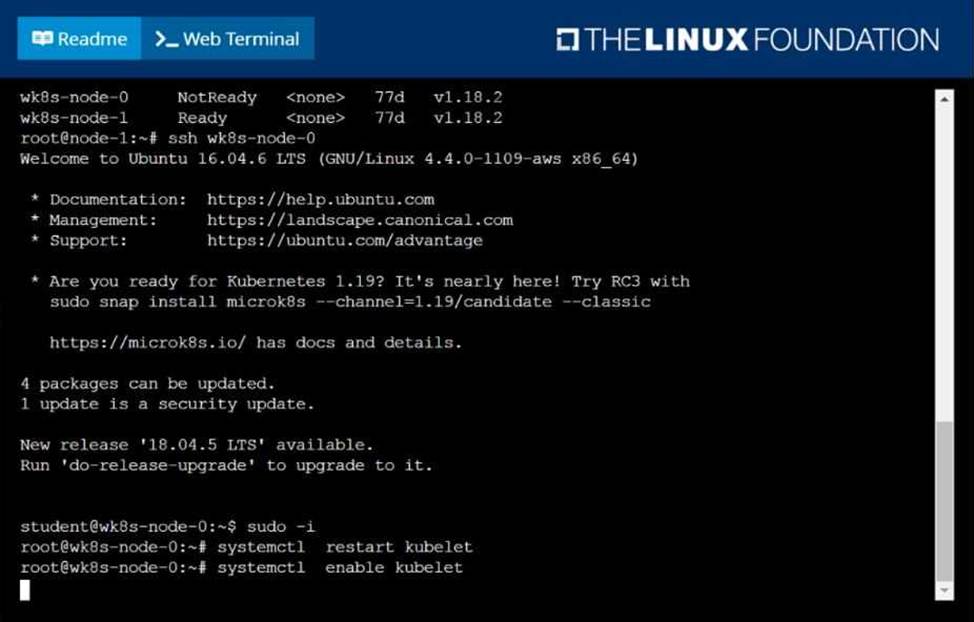
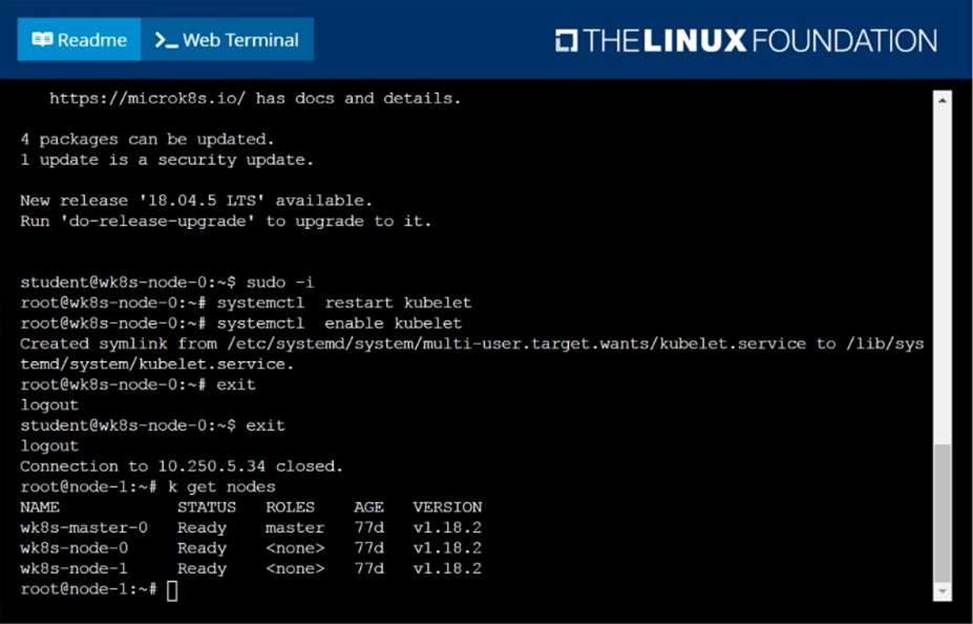
A Kubernetes worker node, named wk8s-node-0 is in state NotReady. Investigate why this is the case, and perform any appropriate steps to bring the node to a Ready state, ensuring that any changes are made permanent.
You can ssh to the failed node using: [student@node-1] $ | ssh Wk8s-node-0
You can assume elevated privileges on the node with the following command: [student@w8ks-node-0] $ | sudo Ci
正解: solution
Question No : 12
SIMULATION
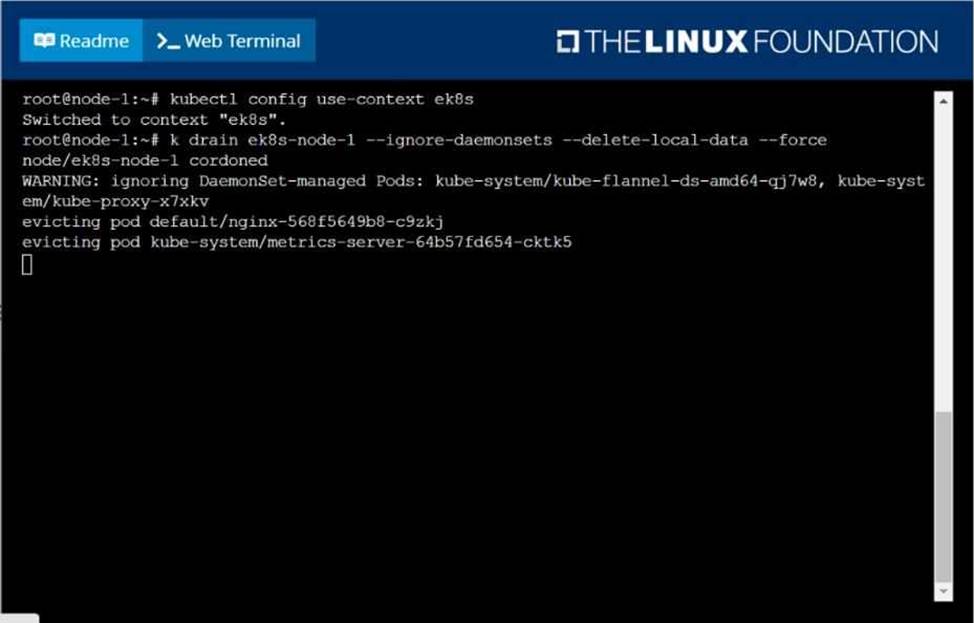
Set the node named ek8s-node-1 as unavailable and reschedule all the pods running on it.
正解: solution
Question No : 13
SIMULATION
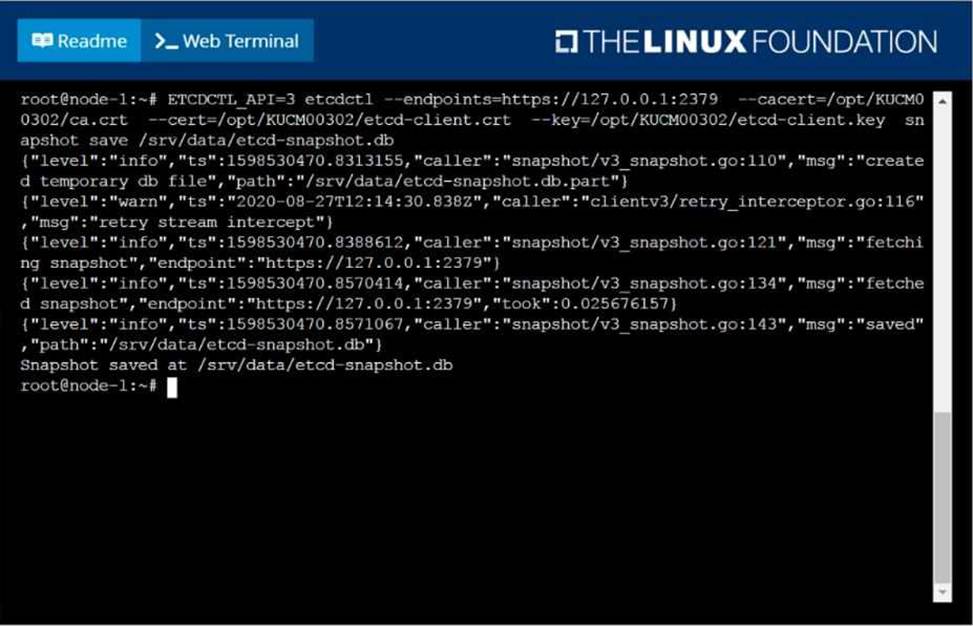
Create a snapshot of the etcd instance running at https://127.0.0.1:2379, saving the snapshot to the file path /srv/data/etcd-snapshot.db.
The following TLS certificates/key are supplied for connecting to the server with etcdctl:
CA certificate: /opt/KUCM00302/ca.crt
Client certificate: /opt/KUCM00302/etcd-client.crt
Client key: Topt/KUCM00302/etcd-client.key
正解: solution
Question No : 14
SIMULATION
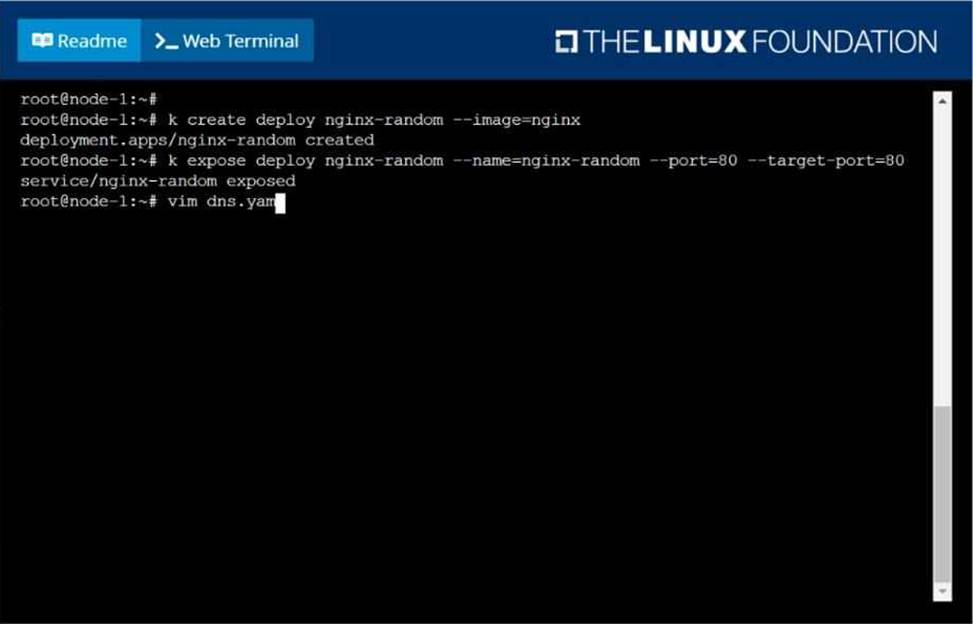
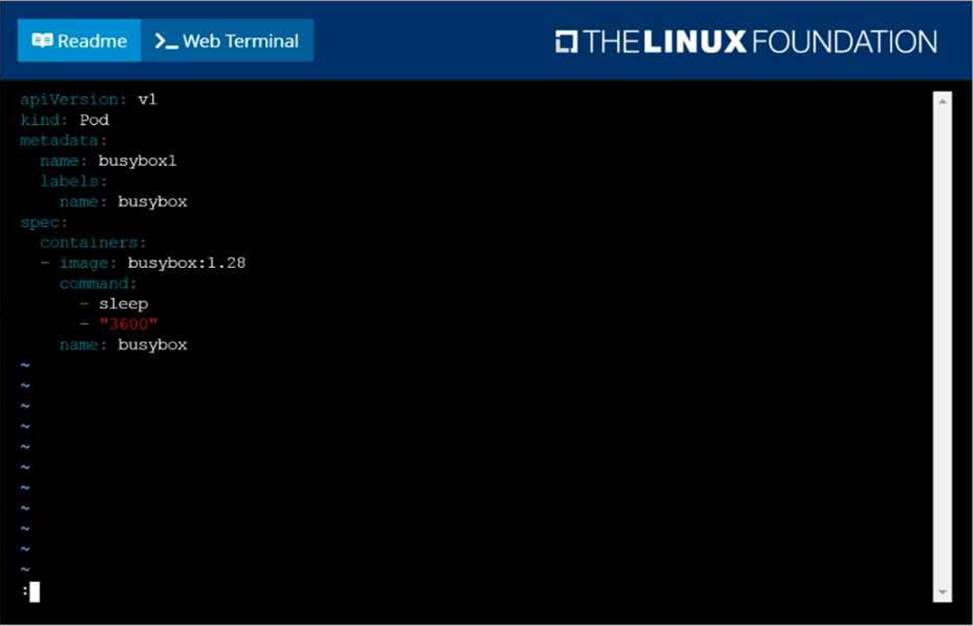
Create a deployment as follows:
Name: nginx-random
Exposed via a service nginx-random
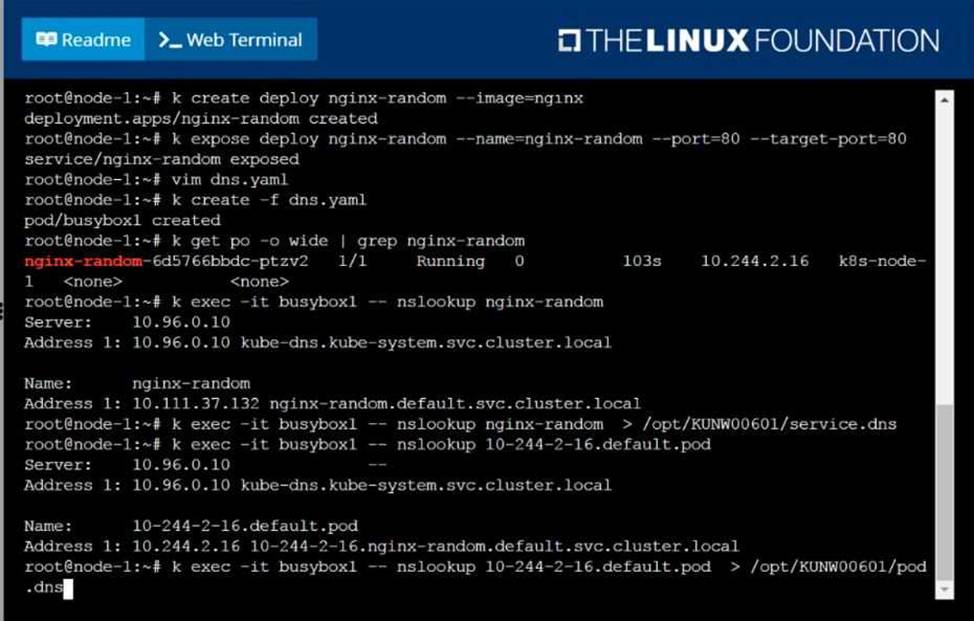
Ensure that the service and pod are accessible via their respective DNS records
The container(s) within any pod(s) running as a part of this deployment should use the nginx Image Next, use the utility nslookup to look up the DNS records of the service and pod and write the output to /opt/KUNW00601/service.dns and /opt/KUNW00601/pod.dns respectively.
正解: Solution:
Question No : 15
SIMULATION
From the pod label name=cpu-utilizer, find pods running high CPU workloads and write the name of the pod consuming most CPU to the file /opt/KUTR00102/KUTR00102.txt (which already exists).
正解: solution