サンプル問題 1: Which of the following are suitable use-cases to use issue-level security? (Choose two.)
A: Only managers can view certain projects.
B: Only managers can view and edit high-priority issues.
C: Only managers can view the development panel.
D: Only managers can view issues created by the manager level.
E: Only managers can move issues to other projects.
正解:B, D
Explanation: Users can create issue security levels within issue security schemes to let users and their team control who can see particular issues. When users associate an issue security scheme with a project, they can apply its security levels to issues in that project. Subtasks inherit the security level of their parent issue. Note: Users need to be a Jira administrator to configure issue security levels. If users need to move issues, they need Move Issues permission. Browse Projects is the permission to control who can view the project. Users need to use View Development Tools permission to control who can view the development panel
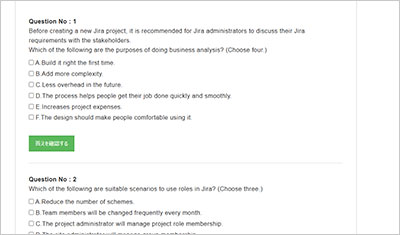
サンプル問題 2: Nash can view all issues but he is unable to rank the backlog in the Jira Software board. Which permissions does Nash need to request to get the proper access? (Choose two.)
A: Edit issues
B: View Development Tools
C: Manage sprints
D: Schedule issues
E: Browse Projects
F: Move Issues
正解:A, C
Explanation: To be able to rank the backlog in the Jira Software board, Nash needs to request the following permissions: A. Edit Issues - This allows a user to change the rank of an issue, since ranking is considered a type of editing. C. Manage Sprints - This is often used in conjunction with the "Edit Issues" permission to fully manage the backlog, as it allows the user to start and complete sprints, and also move issues in or out of sprints. The other permissions (View Development Tools, Schedule issues, Browse Projects, Move Issues) are also important for other functionalities within Jira, but they do not specifically pertain to ranking issues in the backlog.
サンプル問題 3: Which of the following are true about epic? (Choose two.)
A: An epic can have another epic. (Epic Link)
B: An epic cannot have its own issue screen.
C: An epic cannot convert to a sub-task.
D: Users need to enable Kanban Backlog to use Epic in the Kanban Board.
E: Users can customize Epic's colour in both Kanban and Scrum projects.
F: An epic can have issues that belong to more than one project.
正解:C, F
Explanation: Options C An epic cannot convert to a sub-task. Sub-tasks are intended to be smaller parts of a standard issue, not a larger construct like an epic. While you can convert issues to epics and vice versa, it's not possible to convert an epic directly into a sub-task, as they serve different functions and have different hierarchical levels. Options F An epic can have issues that belong to more than one project. In Jira, an epic is a large body of work that can be broken down into a number of smaller stories, or sometimes called "issues". It's possible for these issues to belong to more than one project, which allows for cross-project tracking and management.